
Switch configuration · SPDT
Single Pole Double Throw Switch (SPDT)
An SPDT switch routes one common terminal to one of two switched paths. Use this page to compare real toggle and rocker examples, understand changeover logic, and define the right sourcing details.
- 1 common pole
- 2 selectable paths
- Changeover control
Circuit function
What is a SPDT switch?
“Single pole” means one common electrical path is controlled. “Double throw” means the common can connect to either of two switched outputs. Depending on the actuator, the positions may be ON-ON or include a center OFF state.
SPDT contact logic is used for changeover, source selection and two-path control. The number of visible terminals can increase when illumination or other functions are added.
For a focused explanation, see the SPDT switch guide.
Real product examples
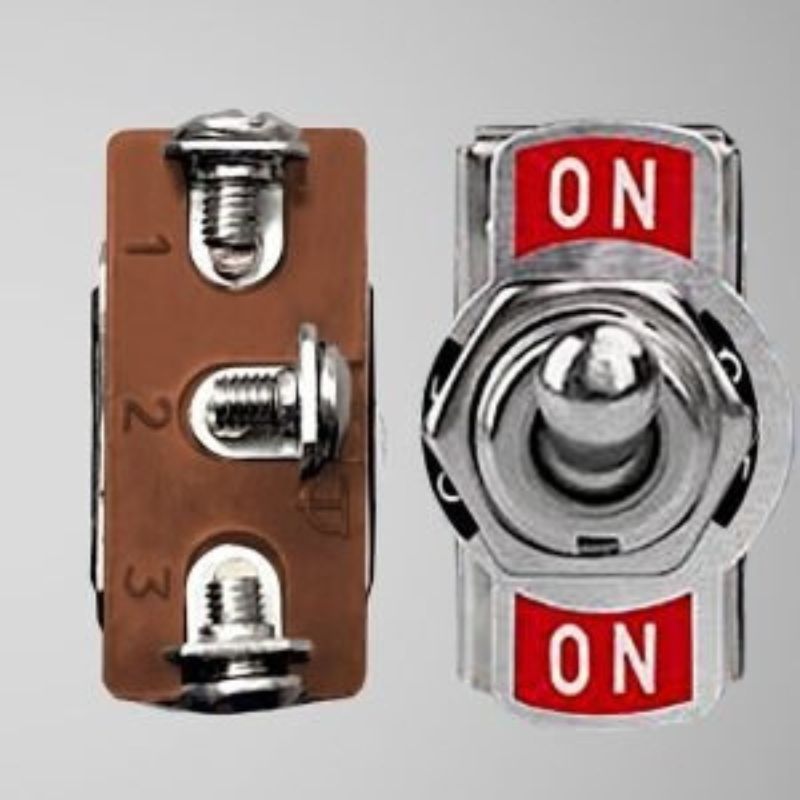
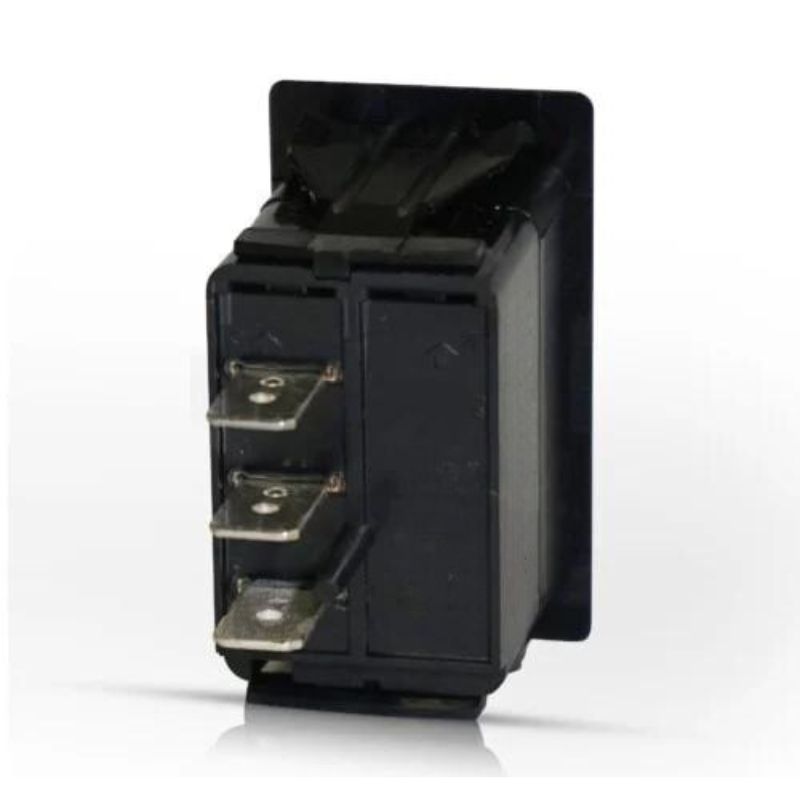
SPDT switch product formats
These are real switch images from the WEUP WordPress media library. They show physical formats only; the exact model drawing remains the authority for ratings, terminals and action.
Configuration comparison
SPDT vs. other switch configurations
Use pole and throw requirements to separate circuit functions before choosing a rocker, toggle or other actuator style.
| Configuration | Poles | Throws per pole | Control logic | Use when |
|---|---|---|---|---|
| SPST | 1 | 1 | One circuit ON/OFF | One path must be opened or closed |
| SPDT | 1 | 2 | One common selects between two paths | Changeover or source/load selection is needed |
| DPST | 2 | 1 | Two circuits ON/OFF together | Two isolated paths follow one actuator |
| DPDT | 2 | 2 | Two circuits change between two paths | Dual-circuit changeover or reversing logic is needed |
Related pages: SPST switch page, DPDT switch page, pole-and-throw configuration guide.
Buyer checklist
How to specify the right SPDT switch
A useful RFQ starts with the circuit and installation. These checks help prevent a visual match from becoming an electrical or mechanical mismatch.
Required positions
Choose ON-ON, ON-OFF-ON or another verified action that matches the control logic.
Common and outputs
Provide the circuit map so the common and two switched paths are unambiguous.
Electrical load
State voltage, current and load type for the path being switched.
Actuator format
Select rocker or toggle only after the circuit action is confirmed.
Terminals and mounting
Share terminal style, panel cutout, depth and retention requirements.
Environment
Describe dust, moisture, vibration, temperature and operator conditions.
Application fit
Where SPDT switches are considered
Application fit depends on the complete circuit, load, mounting and operating environment—not the configuration name alone.
Source or mode selection
One common path can be directed to one of two outputs.
Control-panel changeover
A visible selector for two documented control states.
Direction or function input
Changeover logic in equipment where the wider circuit provides the required interlocking.
Signal routing
Low-level or control-path selection when the chosen product is suitable.
Appliance controls
Compact rocker or toggle selection in a defined panel installation.
Custom operator interfaces
Markings and actuator style can reflect the two controlled states.
Faster sourcing
What to send with your inquiry
A drawing or current sample is the fastest reference. Otherwise, send the project facts in this checklist.
- Required switching action
- Voltage, current and load type
- Terminal style or circuit drawing
- Panel cutout and installation depth
- Illumination and marking needs
- Operating environment
- Target quantity and schedule
- Photos or sample reference
FAQ
Single Pole Double Throw Switch questions
What does SPDT mean on a switch?
SPDT means single pole, double throw. One common terminal connects to one of two switched terminals.
What is the difference between SPST and SPDT?
SPST opens or closes one path. SPDT changes one common between two paths.
Is an SPDT switch always ON-ON?
No. SPDT products can use ON-ON, ON-OFF-ON or momentary actions. The exact action must be specified.
Does an SPDT switch always have three terminals?
A basic SPDT contact set commonly uses three switching terminals, but illumination and other functions can add terminals.
What should be included in an SPDT inquiry?
Send the action, circuit map, load, terminal style, mounting dimensions, environment, quantity and available drawings.
Need a SPDT switch matched to your project?
Share the circuit, load, terminal and panel requirements. The WEUP team can use those details to discuss a suitable product route.