
WEUP switch solutions
Rocker Switches
For initial selection, confirm the required switching function and contact form. Then review the electrical requirements, mounting, terminal and dimension information shown for the selected model. Compare the published model details and request engineering confirmation when information is incomplete. Suitability remains subject to the specific model information available for review.
How to Choose a Rocker Switch
- 1Confirm switching function/contact form.
Identify the required switching function and contact form for the application.
- 2Confirm electrical requirements.
Check the electrical requirements shown for the selected model.
- 3Confirm fit information.
Review mounting, terminal and dimension information for the selected model.
- 4Compare and confirm.
Compare the model details and request engineering confirmation when information is incomplete.
Applicable conditions & limitations
The filters and public fields support initial selection only. Verify AC/DC, load, dimensions, terminals and model compatibility against the specific model information or with engineering before use. Do not infer unlisted values or whole-range compatibility.
Replacing an existing product?
For a replacement review, provide the original model, front and back/terminal photos, mounting dimensions, contact form, AC/DC, voltage, current, load and required quantity. Replacement suitability is subject to dimensional, electrical and contact-form verification.
Request a Quote: information to include
For an RFQ, include the model or product category, application, quantity, voltage and current, AC/DC, terminal and dimension requirements, plus drawings or photos when available. Our team can review the request against the information provided.
For related information, see the Switch contact-form guide, Toggle Switch product range, or review the Rocker Switch model details above.
Rocker Switch Models

KCD1-202K3P-BLUE-3-WAY-ROUND-Lighted-Rocker-Switch
Model: KCD1-202K3P-BLUE-3-WAY-ROUND-Lighted-Rocker-Switch2
Current: 6A
Voltage: 250V AC
Contact Form: SPDT
View Details
KCD1-311-current-switch-3pins-Lighted-Rocker-Switch
Model: KCD1-311-current-switch-3pins-Lighted-Rocker-Switch
Current: 6A
Voltage: 250V AC
Contact Form: SPST
View Details
KCD11-101CK2P-SPDT-ON-OFF-MINI-ROCKER-SWITCH1
Model: KCD11-101CK2P-SPDT-ON-OFF-MINI-ROCKER-SWITCH1
Current: 6A
Voltage: 250V AC
Contact Form: SPST
View Details
KCD1-106-CQC-24V-KCD1-T85-SPST-2-Pin-Brass-Dual-Function-Rocker-Switch
Model: KCD1-106-CQC-24V-KCD1-T85-SPST-2-Pin-Brass-Dual-Function-Rocker-Switch
Current: 6A
Voltage: 250V AC
Contact Form: SPDT
View Details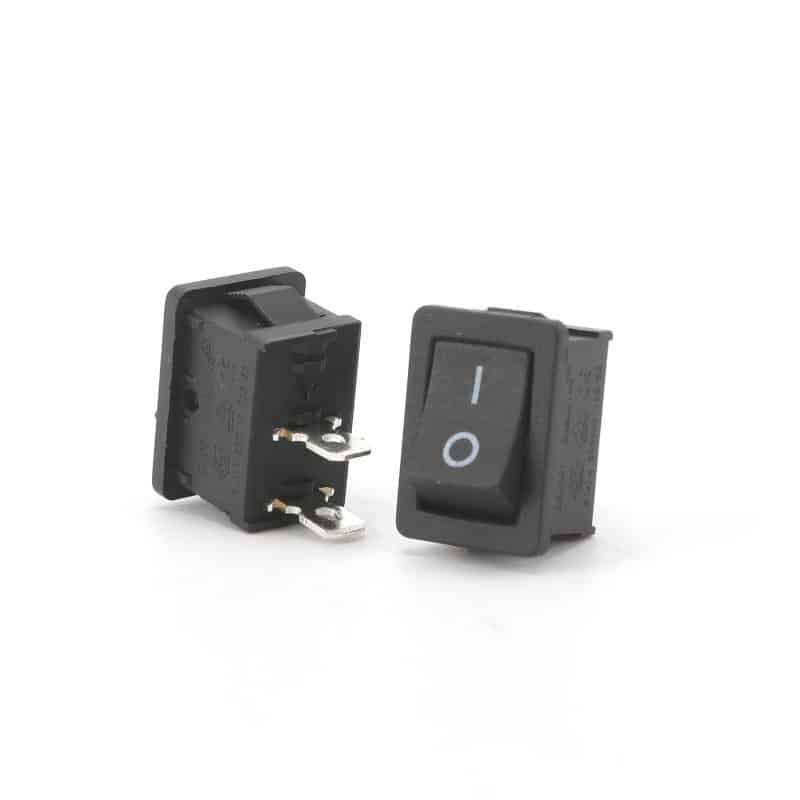
KCD1-106-250v-kcd1-t85-rocker-switch-2-pin-rocker-switch-SPST
Model: KCD1-106-250v-kcd1-t85-rocker-switch-2-pin-rocker-switch-SPST
Current: 6A
Voltage: 250V AC
Contact Form: SPDT
View Details
KCD1-104-light-illuminated-switch-DPST-big-current-switch
Model: KCD1-104-light-illuminated-switch-DPST-big-current-switch
Current: 6A
Voltage: 250V AC
Contact Form: DPST
View Details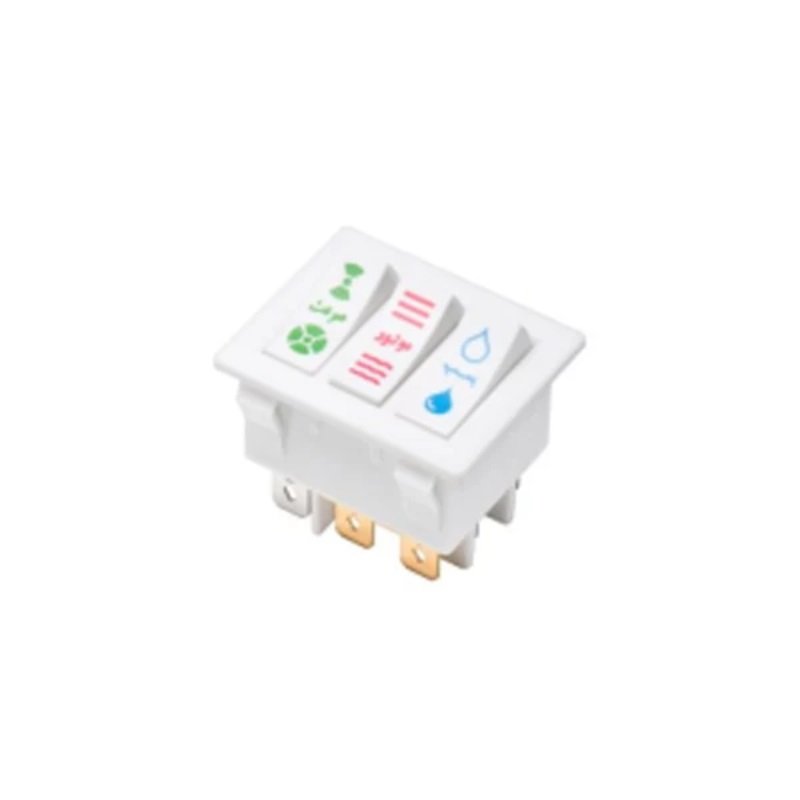
KCD3-303W8P-3PST-TRIPLE-ROCKER-SWITCH
Model: KCD3-303W8P-3PST-TRIPLE-ROCKER-SWITCH2
Current: 16A
Voltage: 250V AC
Contact Form: 3PDT
View Details
KCD3-101KDW-SPDT-ON-OFF-ON-ROCKER-SWITCH
Model: KCD3-101KDW-SPDT-ON-OFF-ON-ROCKER-SWITCH
Current: 16A
Voltage: 250V AC
Contact Form: SPST
View Details
KCD3-101RD-WATERPROOF-ROCKER-SWITCH
Model: KCD3-101RD-WATERPROOF-ROCKER-SWITCH
Current: 16A
Voltage: 250V AC
Contact Form: SPST
View Details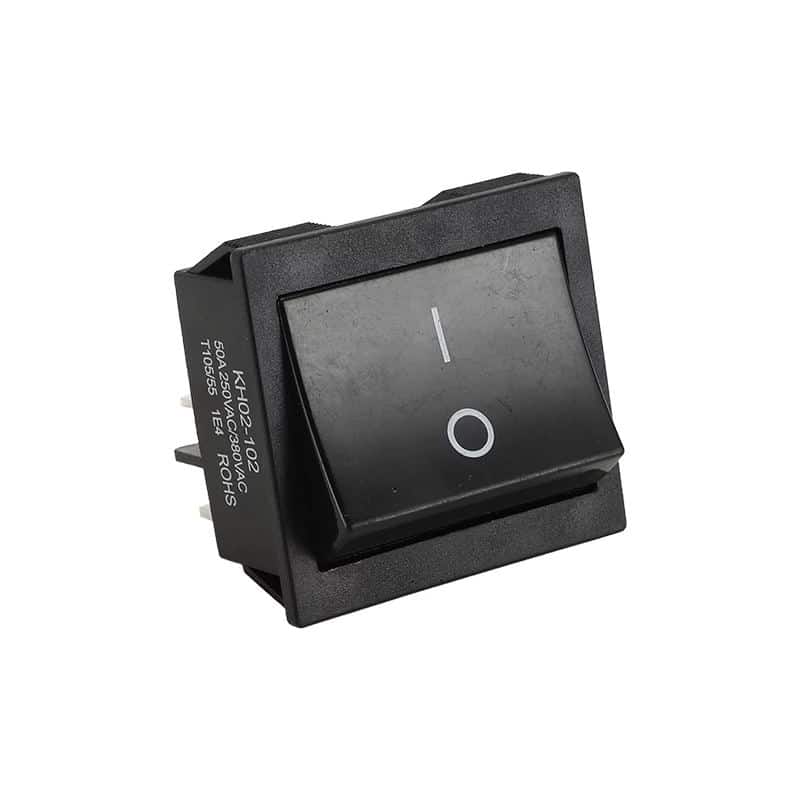
KCD4-30-Amp-Rocker-Switch-3PDT-Welding-Machine
Model: KCD4-30-Amp-Rocker-Switch-3PDT-Welding-Machine
Current: 16A
Voltage: 250V AC
Contact Form: 3PDT
View Details
KCD4 30 Amp Rocker Switch DPDT Welding Machine
Model: KCD4 30 Amp Rocker Switch DPDT Welding Machine
Current: 16A
Voltage: 250V AC
Contact Form: DPDT
View Details
KCD4-30-Amp-On-Off-On-Rocker-Switch-Welding-Machine
Model: KCD4-30
Current: 16A
Voltage: 250V AC
Contact Form: DPDT
View DetailsNeed help choosing?
Request a Rocker Switch Quote
Share the models or specifications under review; our sales team can advise on the next step based on the information provided.
Request a QuoteRocker Switch Wiring Diagram
Review the wiring diagrams and terminal connections for reference. Verify the selected model documentation and installation requirements before wiring.
Open wiring diagrams and terminal reference
SPST - Single Pole Single Throw
Terminals: 2 terminals (1, 2)
Function: Simple ON/OFF control
Applications: Basic lighting, fan control
SPDT - Single Pole Double Throw
Terminals: 3 terminals (COM, NO, NC)
Function: Switch between two circuits
Applications: Two-speed fans, circuit selection
DPST - Double Pole Single Throw
Terminals: 4 terminals (1-2, 3-4)
Function: Controls two separate circuits simultaneously
Applications: Motor control, dual circuit switching
DPDT - Double Pole Double Throw
Terminals: 6 terminals (COM1/2, NO1/2, NC1/2)
Function: Reverses polarity or switches between two dual circuits
Applications: Motor direction control, circuit changeover
⚡ Safety Guidelines
Before Installation:
- • Turn OFF power at circuit breaker
- • Verify power is OFF with voltage tester
- • Check switch current/voltage ratings
- • Use proper wire gauge for load current
During Installation:
- • Use wire nuts for secure connections
- • Follow color coding (Hot=Black, Neutral=White)
- • Ensure proper grounding connections
- • Double-check all terminal connections
Terminal Identification Guide
Input terminal connected to power source. Always energized when power is ON.
Output terminal that connects to COM when switch is pressed/activated.
Output terminal that disconnects from COM when switch is pressed/activated.
Need Custom Solutions?
As your reliable partner with over 20 years of experience, we offer rapid response and personalized customization services to meet your specific needs.
© 2026 WEUP. All rights reserved.