
Ultimate Guide to Push Button Switches
Everything you need to know about selecting, installing, and maintaining push button switches
Table of Contents
Introduction to Push Button Switches
Push button switches are electromechanical devices that control the flow of electricity in a circuit through manual activation. When pressed, these switches either complete or interrupt an electrical circuit, making them essential components in countless applications across industrial, commercial, and consumer electronics.
With over 20 years of experience in manufacturing premium switches, WEUP has witnessed the evolution of push button technology and understands the critical role these components play in modern electrical systems.
Key Benefits of Quality Push Button Switches
- • Reliable operation with consistent performance
- • Long service life (typically 100,000+ cycles)
- • Easy installation and maintenance
- • Wide range of configurations and customizations
- • Cost-effective solution for circuit control
Types of Push Button Switches
Understanding the different types of push button switches is crucial for selecting the right component for your application. Here's a comprehensive breakdown:
1. Momentary vs. Latching Switches
Momentary Switches
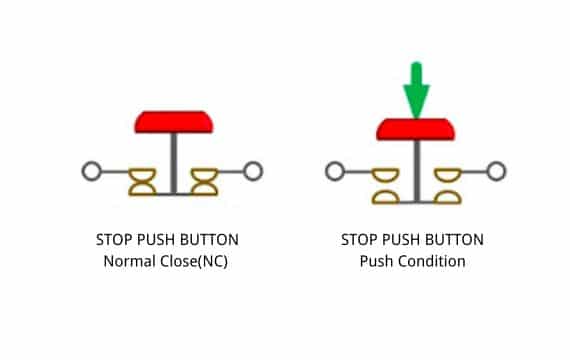
Return to their normal state when released. Commonly used for doorbells, keyboards, and control panels.
Latching Switches
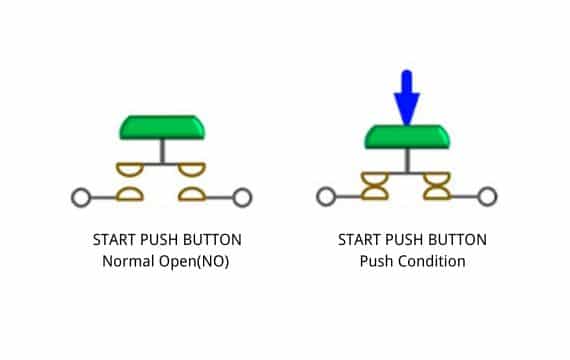
Maintain their state after activation until pressed again. Ideal for power on/off functions and mode selection.
2. Normally Open (NO) vs. Normally Closed (NC)
| Type | Default State | When Activated | Common Uses |
|---|---|---|---|
| Normally Open (NO) | Circuit open | Circuit closes | Start buttons, call buttons |
| Normally Closed (NC) | Circuit closed | Circuit opens | Emergency stops, safety systems |
3. Illuminated vs. Non-Illuminated
Illuminated push button switches feature built-in LED indicators that provide visual feedback about the switch state or circuit status. These are particularly useful in low-light environments or when status indication is critical.
4. Special Types
- Emergency Stop (E-Stop): Large red buttons designed for immediate circuit interruption in hazardous situations
- Waterproof/IP-Rated: Sealed switches suitable for outdoor or harsh environment applications
- Anti-Vandal: Robust construction resistant to tampering and physical damage
- Piezoelectric: Solid-state switches with no moving parts, offering extended lifespan
Common Applications
Push button switches are versatile components used across numerous industries and applications:
Industrial Control
Machine operation, conveyor systems, manufacturing equipment control panels
Building Automation
Elevators, lighting control, HVAC systems, access control
Consumer Electronics
Home appliances, audio equipment, gaming devices, remote controls
Medical Equipment
Diagnostic devices, patient monitoring systems, laboratory instruments
Automotive
Dashboard controls, window switches, hazard lights, ignition systems
Safety Systems
Emergency stops, alarm systems, fire detection, security panels
How to Select the Right Switch
Choosing the appropriate push button switch requires careful consideration of multiple factors. Here's a comprehensive selection guide:
1. Electrical Specifications
- Voltage Rating: Ensure the switch can handle your circuit's voltage (common ratings: 12V, 24V, 110V, 220V)
- Current Rating: Match the switch's amperage capacity to your load requirements
- AC vs. DC: Some switches are rated differently for AC and DC circuits
- Contact Configuration: Choose between SPST, SPDT, DPST, DPDT based on circuit needs
2. Environmental Considerations
| Factor | Considerations | Recommended Features |
|---|---|---|
| Operating Temperature | -20°C to +85°C typical | Extended range for extreme environments |
| Moisture/Water | Indoor vs. outdoor use | IP65+ rating for wet locations |
| Dust/Particles | Clean vs. dirty environments | Sealed or enclosed switches |
| Vibration | Machinery, vehicles | Shock-resistant construction |
| Chemical Exposure | Corrosive substances | Stainless steel or chemical-resistant materials |
3. Physical Requirements
- Mounting Type: Panel mount, PCB mount, or chassis mount
- Panel Cutout Size: Standard sizes include 16mm, 19mm, 22mm, 30mm
- Button Shape: Round, square, rectangular, or custom shapes
- Actuator Type: Flush, extended, mushroom head, or protective guard
- Color: Functional (red for stop, green for start) or aesthetic choices
4. Operational Characteristics
Actuation Force
The pressure required to activate the switch
- • Light touch: 1-3N (consumer electronics)
- • Medium: 3-6N (general industrial)
- • Heavy: 6-10N+ (safety applications)
Travel Distance
How far the button moves when pressed
- • Short travel: 0.5-2mm (tactile switches)
- • Medium: 2-5mm (standard buttons)
- • Long travel: 5-10mm+ (heavy-duty)
WEUP Selection Support
With over 20 years of expertise, WEUP offers personalized consultation to help you select the perfect switch for your application. Our team considers:
- ✓ Technical specifications and compatibility
- ✓ Environmental and operational requirements
- ✓ Budget and volume considerations
- ✓ Customization possibilities
- ✓ Compliance with international standards (ISO 9001, UL, CE)
Installation Guide
Proper installation ensures optimal performance and longevity of your push button switches. Follow these step-by-step instructions:
Panel Mount Installation
Prepare the Panel
Drill or punch a hole matching the switch's mounting diameter. Use a deburring tool to smooth edges and prevent damage to the switch housing.
Insert the Switch
Insert the switch body through the panel hole from the front. Ensure any gaskets or seals are properly positioned for environmental protection.
Secure the Switch
From the back, thread the mounting nut onto the switch body. Tighten by hand first, then use a wrench for final tightening. Do not overtighten as this may crack the housing.
Wire Connections
Connect wires to the appropriate terminals:
- • Common (C) terminal: Main power connection
- • Normally Open (NO): Closes circuit when pressed
- • Normally Closed (NC): Opens circuit when pressed
- • For illuminated switches: Connect LED power to designated terminals
Use appropriate wire gauge and ensure secure connections. Apply heat shrink tubing or electrical tape for insulation.
Testing
Before full operation, test the switch with a multimeter to verify proper contact closure/opening. For illuminated switches, verify LED operation at correct voltage.
Safety Precautions
- ⚠️ Always disconnect power before installation
- ⚠️ Verify voltage and current ratings match your application
- ⚠️ Use proper personal protective equipment (PPE)
- ⚠️ Follow local electrical codes and regulations
- ⚠️ Have installations inspected by qualified electricians
PCB Mount Installation
For PCB-mounted switches, follow these guidelines:
- Soldering: Use appropriate temperature (typically 260-280°C) and duration (2-3 seconds) to avoid thermal damage
- Lead Spacing: Ensure PCB pad layout matches switch pin configuration
- Mechanical Support: Consider additional mechanical fasteners for switches subjected to frequent actuation
- Clearance: Verify adequate clearance around switch for button travel and user access
Maintenance and Troubleshooting
Regular maintenance extends switch lifespan and ensures reliable operation. Here's a comprehensive maintenance guide:
Preventive Maintenance Schedule
| Frequency | Maintenance Task | Details |
|---|---|---|
| Weekly | Visual Inspection | Check for physical damage, loose mounting, or contamination |
| Monthly | Functional Test | Verify proper operation, actuation force, and LED function (if applicable) |
| Quarterly | Cleaning | Remove dust and debris; clean button surface with appropriate solvent |
| Semi-Annual | Connection Check | Inspect and tighten wire connections; check for corrosion |
| Annual | Comprehensive Testing | Contact resistance measurement, insulation testing, seal integrity |
Common Issues and Solutions
Problem: Switch Not Responding
Possible Causes:
- • Loose or disconnected wiring
- • Contact oxidation or contamination
- • Mechanical failure (broken spring or actuator)
- • Exceeded electrical rating causing contact welding
Solutions:
- 1. Check and secure all wire connections
- 2. Test continuity with multimeter
- 3. Clean contacts with electrical contact cleaner
- 4. Replace switch if mechanically damaged
Problem: Intermittent Operation
Possible Causes:
- • Loose mounting causing poor contact alignment
- • Vibration affecting internal components
- • Partial contact oxidation
- • Environmental contamination (dust, moisture)
Solutions:
- 1. Tighten mounting hardware
- 2. Add vibration dampening if necessary
- 3. Clean and apply contact protection
- 4. Verify IP rating is adequate for environment
Problem: LED Not Illuminating
Possible Causes:
- • LED power connection issue
- • Incorrect voltage (too low or reversed polarity)
- • LED burnout due to overvoltage
- • Current-limiting resistor failure
Solutions:
- 1. Verify LED power connections and polarity
- 2. Measure voltage at LED terminals
- 3. Test LED with appropriate DC power source
- 4. Replace switch if LED is integrated and failed
Problem: Sticky or Difficult Actuation
Possible Causes:
- • Contamination (grease, adhesive, dirt)
- • Mechanical wear or deformation
- • Corrosion of moving parts
- • Overtightened mounting nut
Solutions:
- 1. Clean button and housing with appropriate solvent
- 2. Slightly loosen mounting nut if overtightened
- 3. Apply appropriate lubricant to moving parts (if serviceable)
- 4. Replace switch if mechanically worn
WEUP Quality Advantage
"WEUP's switches have stable performance, helping us reduce 15% maintenance cost" - Customer Testimonial
Our switches are manufactured to the highest quality standards with rigorous testing, resulting in:
- ✓ Extended service life (100,000+ cycles typical)
- ✓ Reduced maintenance frequency
- ✓ Lower total cost of ownership
- ✓ Consistent performance in demanding environments
Industry Standards and Certifications
Understanding relevant standards ensures compliance and quality. WEUP products meet international certification requirements:
Key International Standards
ISO 9001
Quality Management System certification ensuring consistent manufacturing processes and product quality. WEUP has maintained ISO 9001 certification throughout our 20+ year history.
UL Certification
Underwriters Laboratories safety certification for electrical components. Covers electrical safety, fire hazard prevention, and performance standards for North American markets.
CE Marking
European Conformity certification indicating compliance with EU safety, health, and environmental protection standards. Required for products sold in European Economic Area.
IEC Standards
International Electrotechnical Commission standards covering electrical ratings, environmental testing, and safety requirements. Key standards include IEC 60947 for low-voltage switchgear.
IP Rating System
Ingress Protection (IP) ratings indicate the level of protection against solid objects and liquids:
| IP Rating | Solid Protection | Liquid Protection | Typical Applications |
|---|---|---|---|
| IP40 | Protected against >1mm objects | No protection | Indoor, dry environments |
| IP54 | Dust protected | Splash resistant | Indoor with moisture |
| IP65 | Dust tight | Water jet resistant | Outdoor, washdown areas |
| IP67 | Dust tight | Temporary immersion | Harsh outdoor, marine |
| IP69K | Dust tight | High-pressure/temp wash | Food processing, automotive |
Safety Standards for Specific Applications
- Emergency Stop (ISO 13850): Defines requirements for emergency stop devices including color (red), shape (mushroom head), and latching mechanism
- Machinery Safety (ISO 12100): General principles for risk assessment and reduction in machinery design
- Medical Devices (IEC 60601): Safety standards for electrical medical equipment including special requirements for switches
- Automotive (ISO 16750): Environmental conditions and testing for road vehicles electrical equipment
- Marine (IEC 60533): Electrical and electronic installations in ships
WEUP Participated in National Switch Industry Standards
As a recognized leader in the Chinese switch manufacturing industry, WEUP has contributed to the formulation of national standards, ensuring our products not only meet but help define industry benchmarks.
This involvement ensures our switches incorporate the latest safety, performance, and quality requirements, providing you with products that exceed expectations.
Frequently Asked Questions
What's the difference between momentary and latching push button switches?
Momentary switches only maintain their activated state while being pressed and return to their normal position when released (like a doorbell). Latching switches maintain their state after being pressed until pressed again (like a power button that toggles on/off). Choose momentary for temporary actions and latching for state changes.
How do I determine the correct voltage and current rating for my application?
Calculate the maximum voltage and current your circuit will experience. The switch rating should exceed these values with a safety margin (typically 20-30%). Consider both AC and DC ratings as they differ. For inductive loads (motors, solenoids), use switches rated for higher currents due to inrush and back-EMF. When in doubt, consult WEUP's technical team for personalized recommendations.
What IP rating do I need for outdoor applications?
For general outdoor use with exposure to rain, IP65 is typically sufficient (dust tight, water jet resistant). For applications with potential submersion or high-pressure washing, consider IP67 or IP69K. Indoor applications with minimal moisture can use IP40 or IP54. Always consider the specific environmental conditions including temperature extremes, UV exposure, and chemical presence.
Can I use the same switch for AC and DC circuits?
Many switches are rated for both AC and DC, but the ratings often differ. DC circuits are harder to switch because DC arcs are more difficult to extinguish than AC arcs. A switch rated for 10A at 250VAC might only be rated for 6A at 30VDC. Always check the manufacturer's specifications for both AC and DC ratings and ensure your application falls within the appropriate limits.
How long do push button switches typically last?
Quality push button switches like those from WEUP typically have a mechanical life of 100,000 to 1,000,000 cycles depending on the type and application. Electrical life (with load) is usually lower, ranging from 50,000 to 500,000 cycles. Actual lifespan depends on operating conditions, load type, actuation frequency, and environmental factors. Proper selection and maintenance significantly extend service life.
What's the significance of contact configuration (SPST, DPDT, etc.)?
Contact configuration indicates how many circuits the switch controls and how: SPST (Single Pole Single Throw) controls one circuit on/off; SPDT (Single Pole Double Throw) switches one circuit between two paths; DPST controls two separate circuits simultaneously; DPDT switches two circuits between two paths each. Choose based on your circuit requirements - simple on/off needs SPST, while switching between two states needs SPDT.
Why do some switches cost more than others?
Price differences reflect variations in materials, construction quality, certifications, and features. Higher-quality switches use better contact materials (silver alloy vs. brass), more robust housings (stainless steel vs. plastic), superior sealing, and undergo more rigorous testing. While initial cost is higher, premium switches like WEUP's offer lower total cost of ownership through reduced maintenance, longer life, and fewer failures. As one customer noted, "WEUP's switches have stable performance, helping us reduce 15% maintenance cost."
Can I customize switches for my specific application?
Yes! WEUP offers personalized customization services including custom button colors, legends, LED colors, mounting configurations, cable lengths, and connector types. We can also develop switches for unique environmental requirements or special electrical specifications. With over 20 years of experience, we've created custom solutions for countless applications. Contact our technical team to discuss your specific requirements.
What should I do if my switch fails prematurely?
First, verify the switch was correctly specified for the application (voltage, current, environment). Check for signs of overload, environmental damage, or installation issues. Document the failure mode and operating conditions. Contact WEUP's support team - we'll help diagnose the issue and determine if it's a warranty matter or if application changes are needed. Our rapid response service ensures minimal downtime.
How do I ensure compatibility with my existing equipment?
Check mounting dimensions (panel cutout size), electrical specifications (voltage, current, contact configuration), and environmental requirements (IP rating, temperature range). Verify connector types if using pre-wired switches. Review any industry-specific certifications required (UL, CE, etc.). WEUP's technical team can cross-reference competitor part numbers and recommend compatible alternatives, often with improved specifications or better pricing.
Need Expert Guidance?
Our technical team is ready to help you select the perfect push button switch for your application
Email Us
[email protected]Call Us
+86 13285879777Location: Building 3, Huayi E-commerce Park, Chengnan Street, Yueqing, Zhejiang, China, 325608
Over 20 years of expertise • ISO 9001, UL, CE Certified • Rapid Response • Personalized Customization
Related Resources
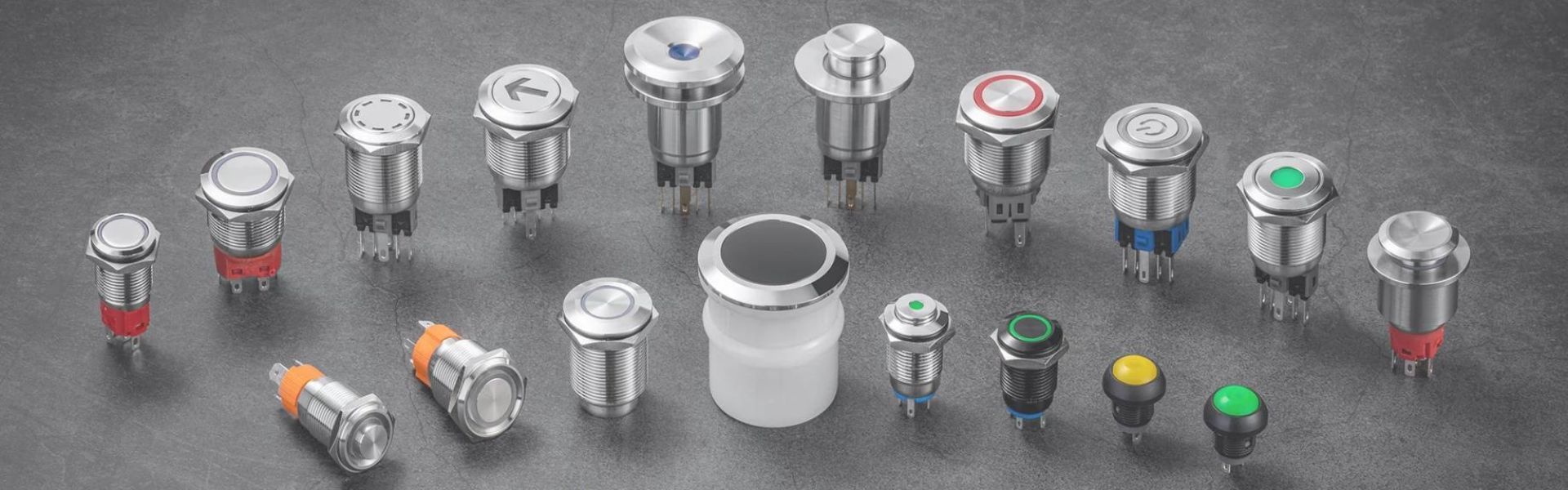
The Ultimate Guide to Pushbutton Switches: Types, Benefits, and Buying Tips
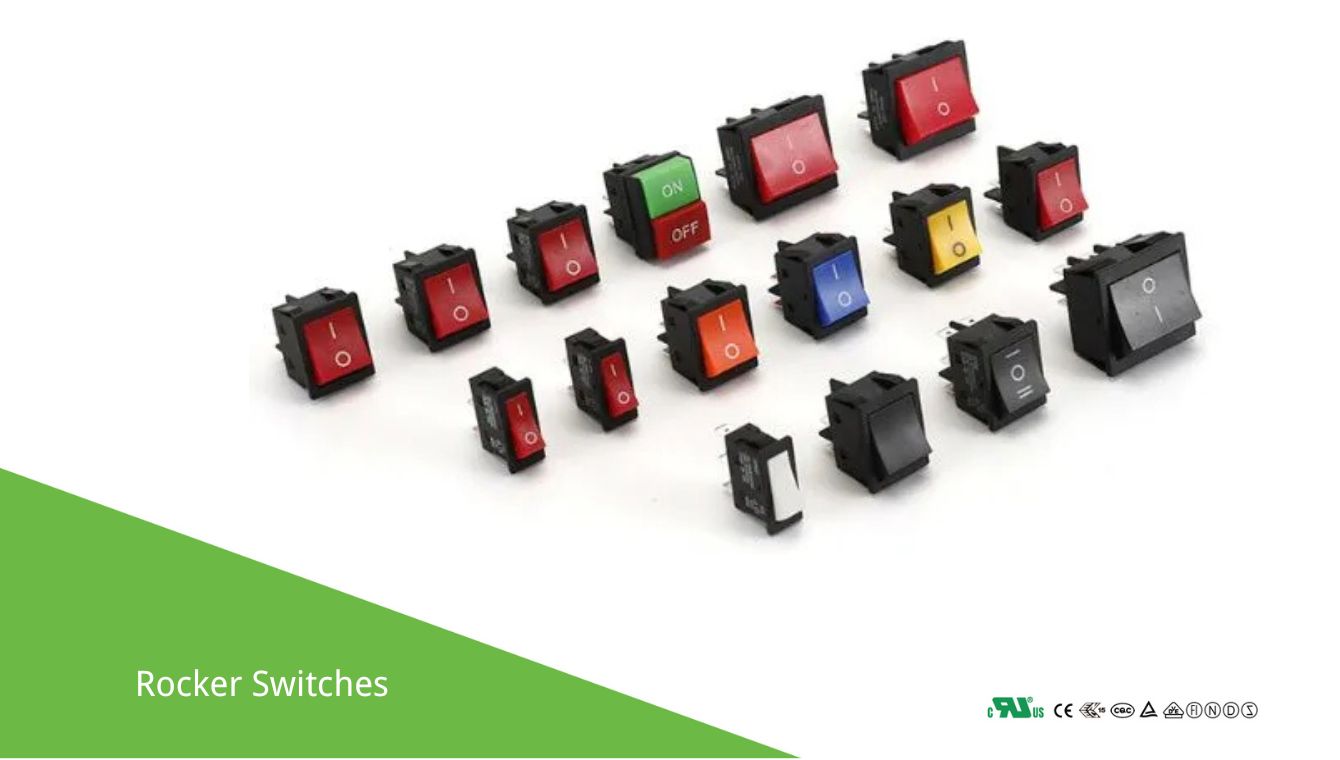
Rocker Switches: Selection and Usage Guide
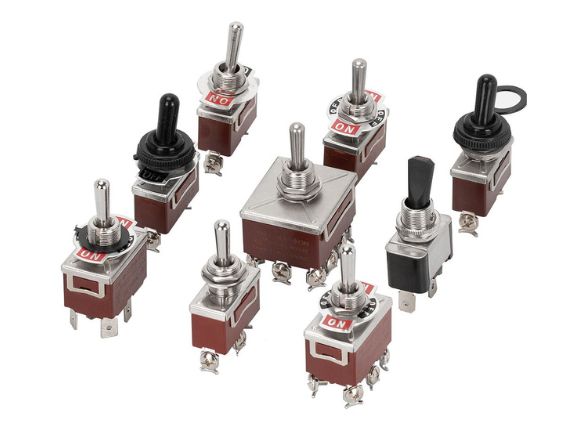
The Ultimate Guide to Toggle Switches: Selection & Use
Understanding Toggle…
Read More →